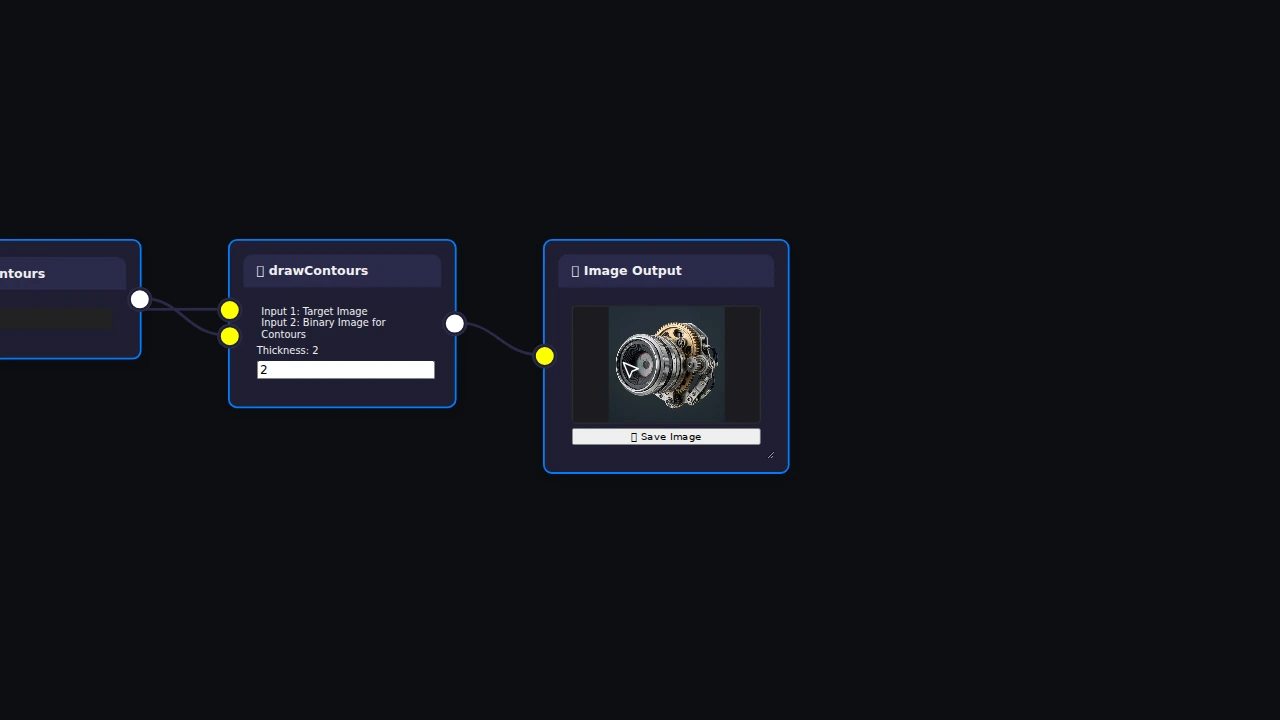
Canny Edge Detection & Contours
Find edges and overlay object boundaries on your image.
Key operations
- Gaussian Blur
- Canny
- Find Contours
- Draw Contours
Connect OpenCV operations to build image, video and webcam pipelines without writing code. For students learning computer vision and developers testing ideas: process media locally, inspect results, and export supported workflows to Python on Pro.
Free Starter: standard OpenCV operations, up to 15 nodes per workflow and 3 saved cloud workflows. No card required for Starter.
Four simple steps to visually build computer vision pipelines without writing boilerplate code.
Add an image, video or webcam input node and select its media source.
Choose from 164 OpenCV operations and link inputs to outputs.
Adjust filters, thresholds, and kernels with live real-time visual feedback.
Download results or your workflow JSON. Pro also exports supported workflows to Python.
A few starting points from Visionodo’s existing templates. Open the editor and choose one from the template picker.
Find edges and overlay object boundaries on your image.
Key operations
Locate frontal faces using the bundled Haar cascade model.
Key operations
Reduce image noise and sharpen fine details.
Key operations
Isolate foreground subjects against high-contrast backgrounds.
Key operations
Build OpenCV workflows visually, run them in your browser, and take supported pipelines into Python.
Build OpenCV pipelines by connecting processing nodes instead of starting with boilerplate code.
Run image, video and webcam processing directly in your browser with Visionodo’s OpenCV.js execution environment.
Export to Python/OpenCV on Pro for supported workflows, as standalone scripts and packages. Every plan supports workflow JSON export. Webcam export is unavailable.
Explore the 164-node catalogue for filtering, contours, features and tracking. The 11 DNN nodes require Pro.
Save workflow graphs to your private account. Image data embedded in a graph is stored with it; media computation stays in your browser.
On Plus and Pro, process multiple images through a compatible workflow and download outputs as a ZIP. Batch processing is for still images.
Build with image transformations, feature detection, contours, object tracking, deep neural networks and more, then run processing locally in your browser and export supported workflows to Python/OpenCV.
OpenCV operation node.
calib_pnpProjects connected 3-D points through camera pose and intrinsics and returns 2-D point metadata.
calib_projectPointsConverts a 3-vector axis-angle rotation to a 3 by 3 matrix or converts the matrix back to a vector.
calib_rodriguesCorrects lens distortion with a camera matrix and distortion coefficients.
calib_undistortBuilds X and Y rectification maps from camera calibration metadata for later cv.remap use.
calib_undistortMapComputes the per-element absolute difference of two equally sized inputs.
core_absdiffOpenCV operation node.
core_addComputes alpha times input A plus beta times input B plus gamma with saturating conversion.
core_addWeightedOpenCV operation node.
core_andConverts connected X/Y arrays into magnitude and angle outputs.
core_cartToPolarScales, offsets, takes absolute values, and saturates the result to 8-bit.
core_convertScaleAbsAdds a border using constant, replicated, reflected, or wrapped pixels.
core_copyMakeBorderStart for free with local compute, upgrade when you need batch processing, DNN, and Python export.
Ideal for students and developers learning computer vision.
For engineers requiring batch processing and larger pipelines.
For computer vision professionals requiring DNN and Python export.
Everything you need to know about building vision pipelines with Visionodo.
Visionodo is a visual OpenCV workflow builder for creating computer vision and image processing pipelines in the browser. Processing runs locally, and supported workflows can be exported as standalone Python/OpenCV code.
Yes. Visionodo’s catalogue has 164 visual nodes built around OpenCV.js, including media inputs and outputs, filtering, edge detection, contours, tracking and deep neural networks. The 11 DNN nodes require Pro.
Absolutely. The core experience of Visionodo relies on uploading an image, connecting visual processing nodes, and adjusting parameters in real-time. You get instant visual feedback without needing to program.
Every plan supports JSON workflow import and export. Pro exports supported workflows as Python/OpenCV scripts or packages. Webcam Input cannot be exported, and C++ export is unavailable.
Starter is free with standard OpenCV operations, up to 15 nodes per workflow, 3 stored cloud workflows and JSON portability. Plus adds larger graphs, batch image processing and 20 cloud workflows. Pro adds 11 DNN operations, supported Python export and 100 cloud workflows. See current pricing above.
Image, video and webcam processing runs in your browser using OpenCV.js. Webcam access requires browser permission. Accounts and saved workflow graphs use Firebase; images embedded in a saved graph may be stored with that graph. Read the privacy policy for details.
Visionodo is designed for computer vision engineers, researchers, students, and developers who want to rapidly prototype image processing pipelines, experiment with parameters interactively, or process batches of images.
Start with an edge detector or a thresholding pipeline. Learn one operation at a time with our OpenCV tutorials.
Create a Free Account